Models
Manage local LLM models at /models.
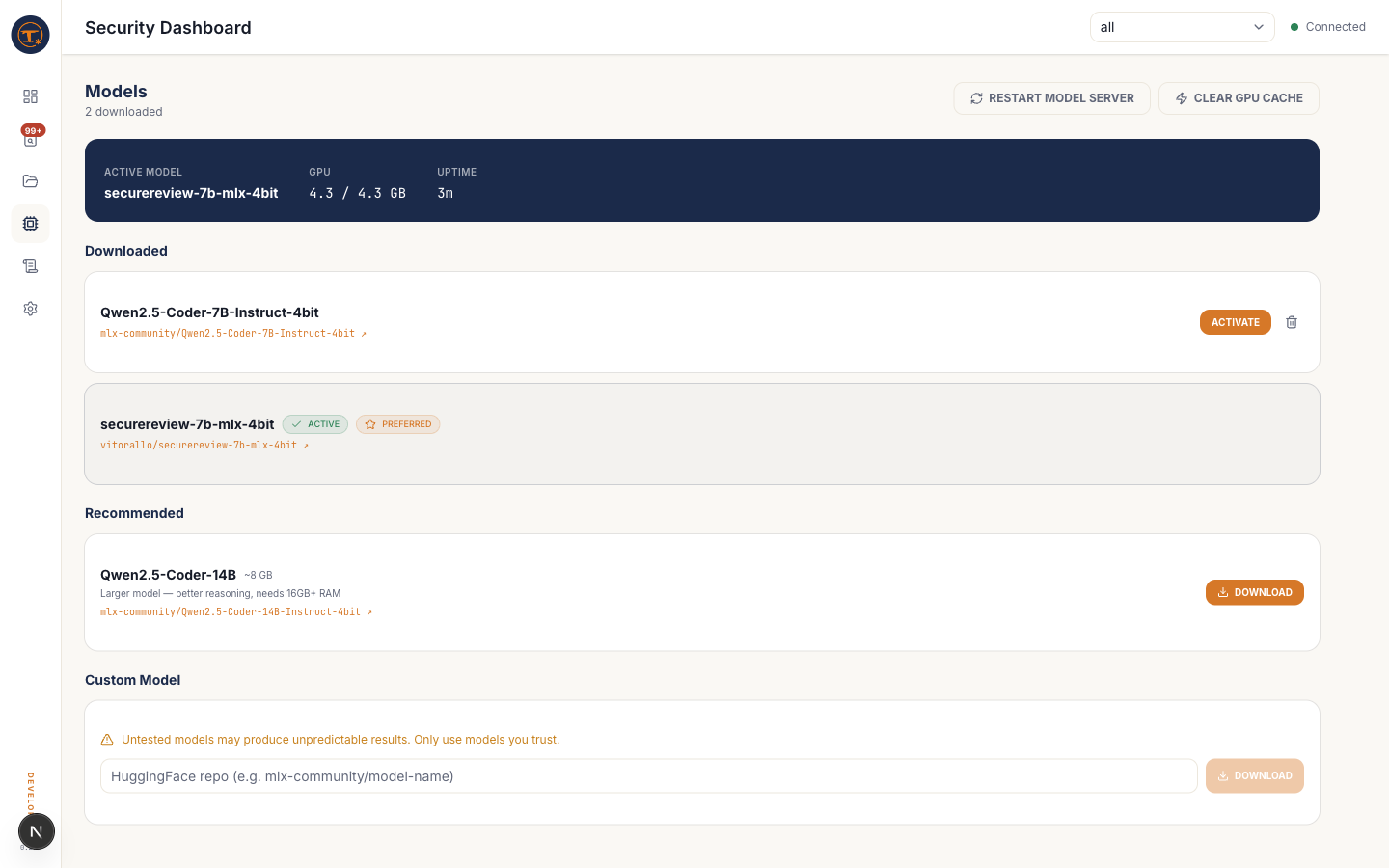
What you see
- Recommended models — a curated list:
securereview-7b,Qwen2.5-Coder-7B,Qwen2.5-Coder-14B, each with size and description - Downloaded models — what's already on disk, with size and active-state badges
- Custom repo input — paste any Hugging Face repo ID to download (must be MLX-compatible)
What you can do
- Download a model — streams from Hugging Face into
~/.foil/models/ - Activate a model — sets it as the engine's active model and restarts vllm-mlx
- Delete a model — frees disk space; you cannot delete the currently active model
- Restart engine — force-reloads the active model without changing which one is active
Tips
- The recommended default is securereview-7b — a fine-tune of Qwen2.5-Coder-7B aimed at security review, with better severity calibration.
- For 16 GB Macs, stick with 7B models. 14B needs 24 GB+ unified memory.
- Downloading happens in the background; you can leave this page and come back.