Projects
Manage the list of code repositories Foil knows about, at /projects.
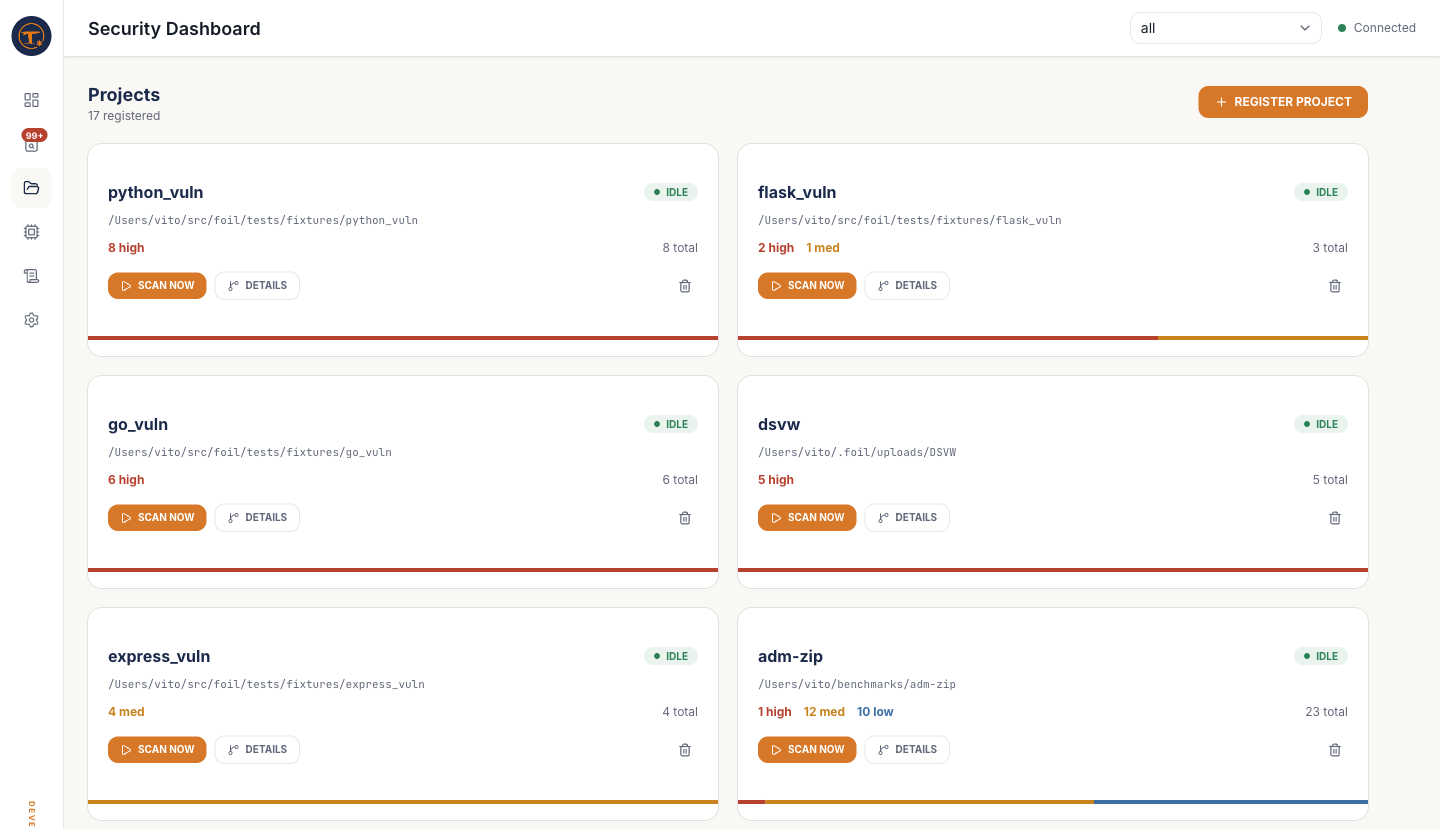
What you see
- Project cards showing name, path, last scan timestamp, and severity counts
- Register dialog for adding a new project by pasting a local path (or picking one via the file picker)
- Scan button per project to kick off a new scan without leaving the page
What you can do
- Register a project — point at any directory on disk. Foil stores the path, not the contents; nothing is copied.
- Remove a project — deletes the registry entry and the project's knowledge graph. Source code is untouched.
- Open a project's detail page at
/projects/detail?id=...for scan history and per-file drill-down. - Trigger a scan — maps 1:1 to
foil scan <path>. This is a standard scan only — to run a deep scan or generate a PDF report you need to open the Project detail page.
The per-project workspace lives at /projects/detail?id=<id> — see the dedicated Project detail page.